
Floor visibility
Advanced Wallboard
The 80" TV your supervisors will actually look at.
VoIPSetu Advanced Wallboard takes the queue data 3CX already collects and projects it onto a live floor view your supervisors love — every metric they want, one screen, zero refresh.
Replaces
Morning floor walk · manual agent status checks · end-of-shift Excel report
Ideal for
- BPOs & contact centres
- Inside sales floors
- Customer support teams
Full pricing on the Pricing page.
-32%
Avg. queue wait time
+18%
Service level %
0
Manual status checks
Supervisors are flying blind between 3CX Switchboard refreshes
3CX Switchboard is great for one supervisor at one desk — but it doesn't scale to a TV the whole floor sees, and it can't trigger SLA alerts. So queues spike, agents go idle, and nobody notices until the day-end MIS lands.
One TV. Every metric. Auto-refresh. Visible alerts.
Mount one screen per floor, and every supervisor, agent and visiting client sees the same truth in real time — calls waiting, SLA %, leaderboard, idle agents. Thresholds flash red the moment they breach.
What's inside
Every capability, no add-ons
Inside the product
See Wallboard on a real console
Screens from the Agent Flow admin — with sample data. Numbers, agents and departments shown are illustrative.
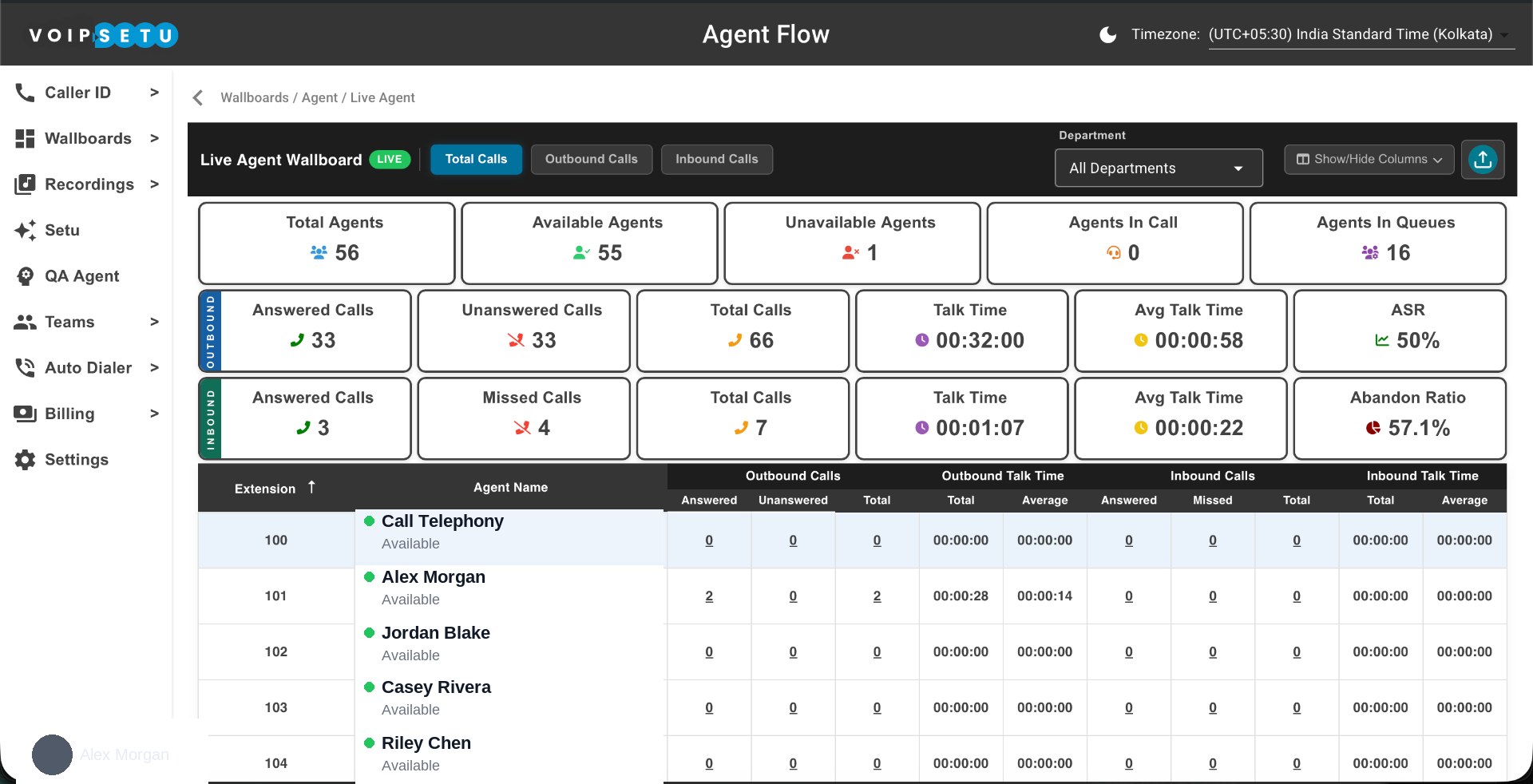
Live Wallboard — full view
Total, outbound and inbound counters, ASR, abandon ratio and every agent's live row in one live screen.
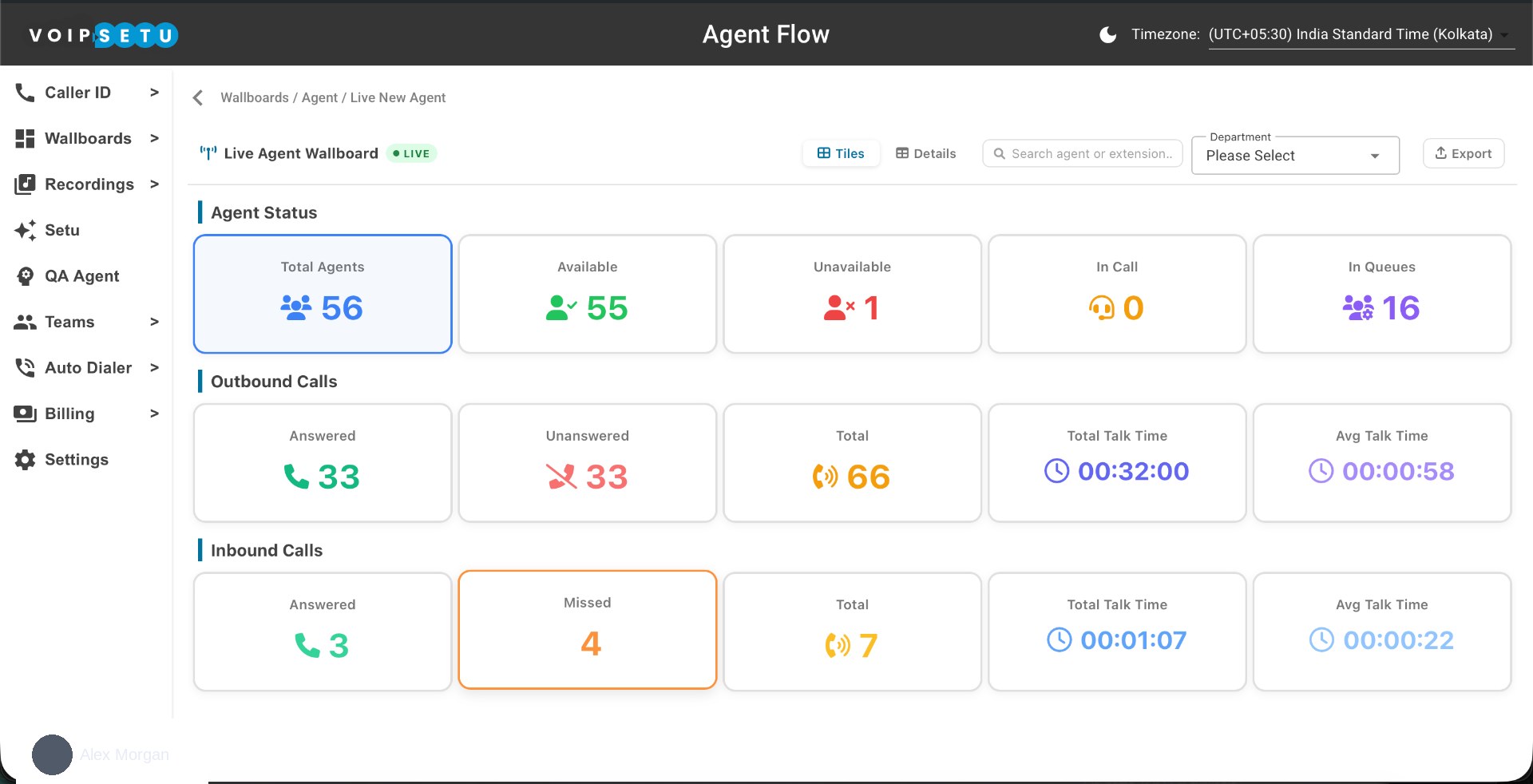
Live Wallboard — tile view
The big-screen tile layout for the TV: total agents, availability, in-call, in-queue, plus outbound and inbound talk-time counters.
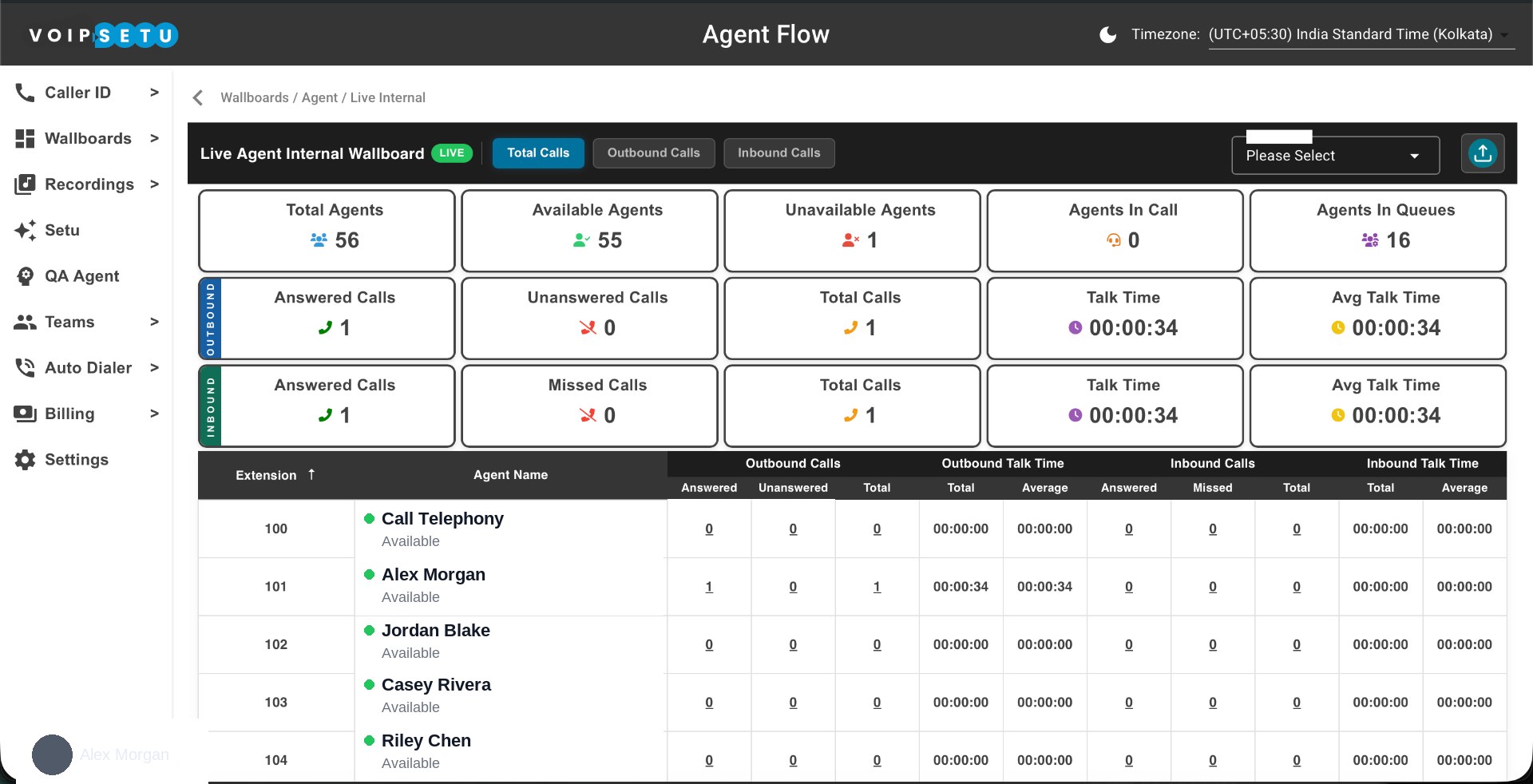
Live Wallboard — internal calls
A dedicated Live Internal wallboard so internal traffic never gets mixed up with customer-facing volume.
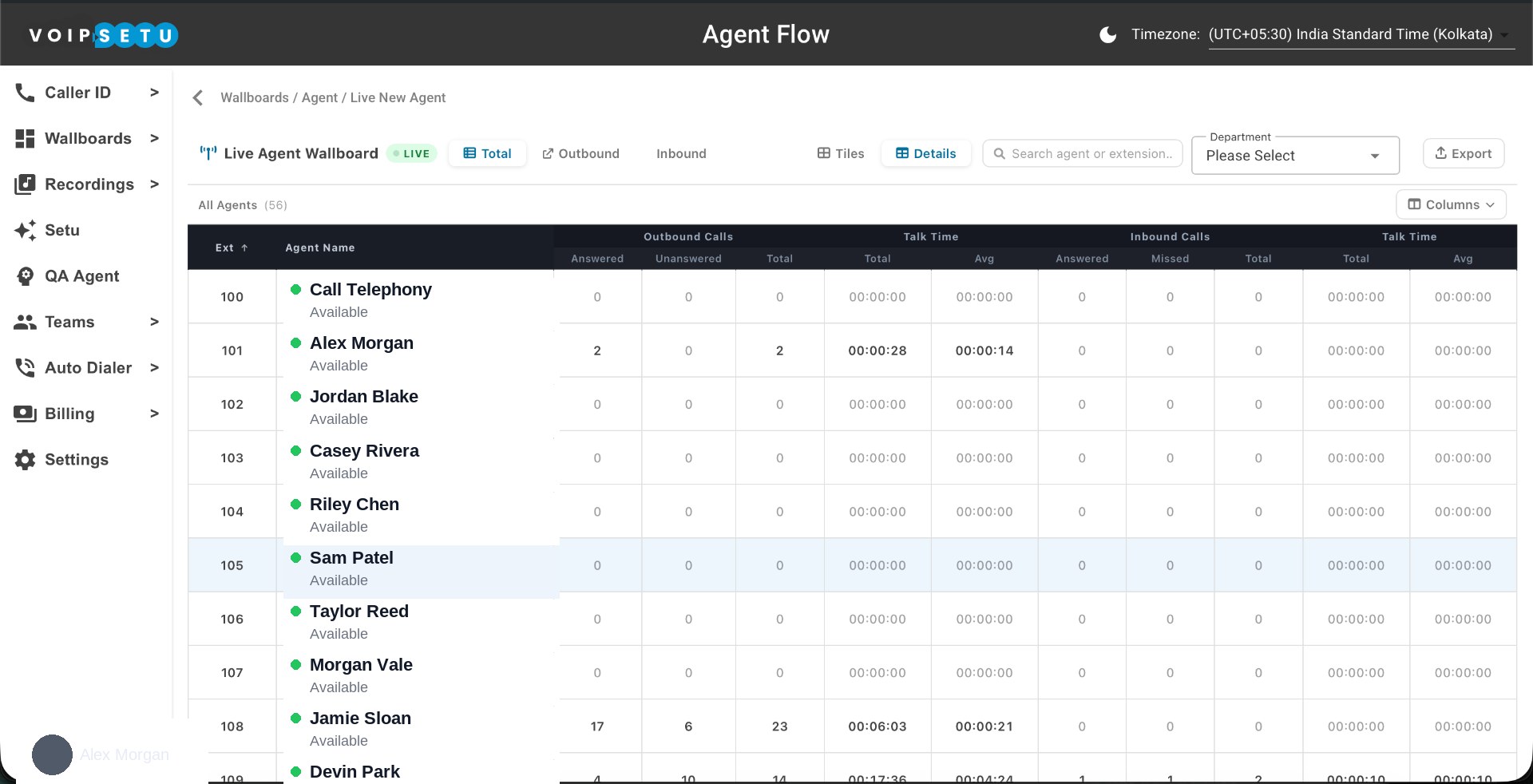
Agent Wallboard — details grid
Every agent, every extension — outbound / inbound answered, unanswered, total, and talk time. Sort, search and export.
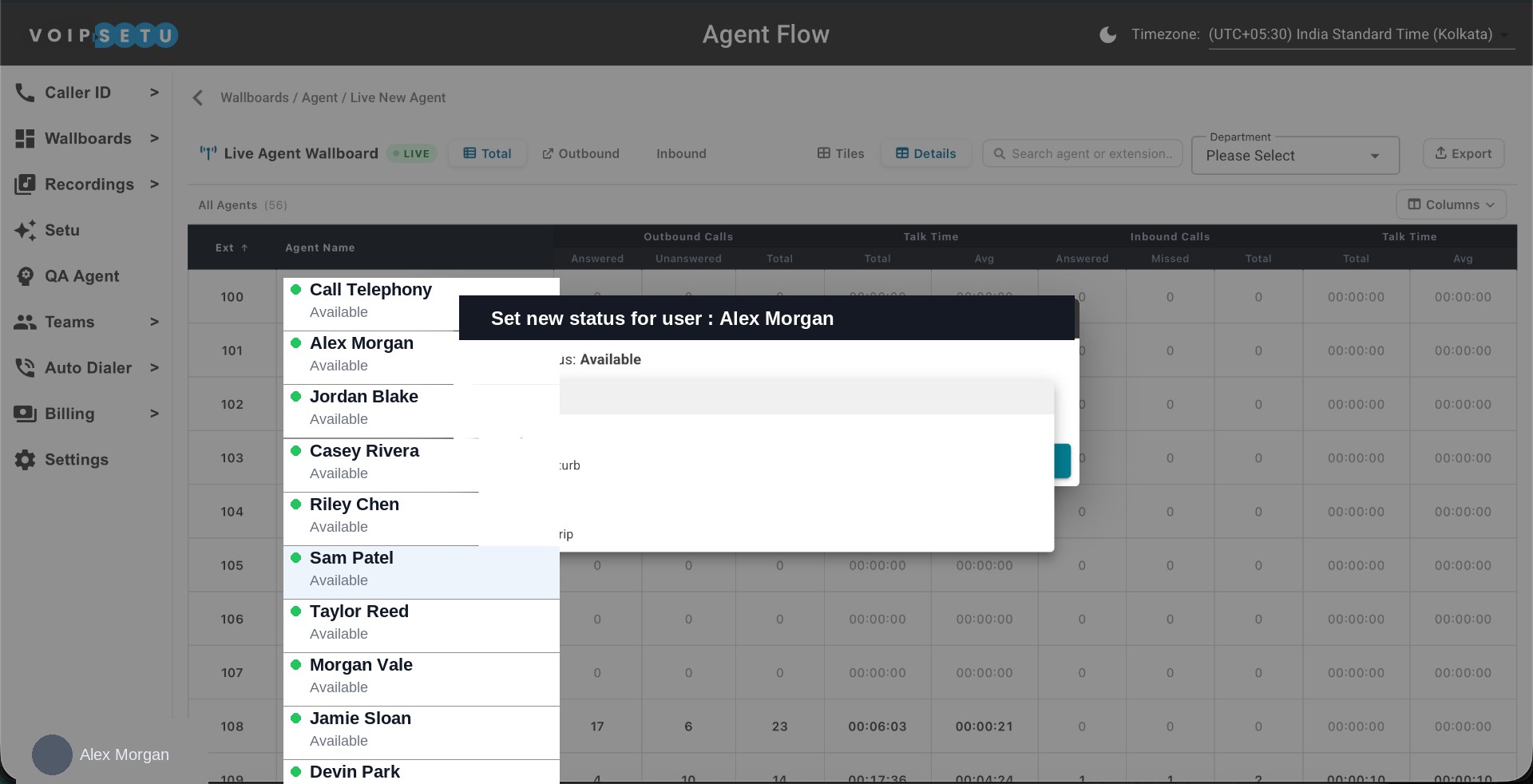
Agent Wallboard — set status
Supervisors can force an agent status — Available, Away, DND, Lunch, Business Trip — straight from the wallboard.
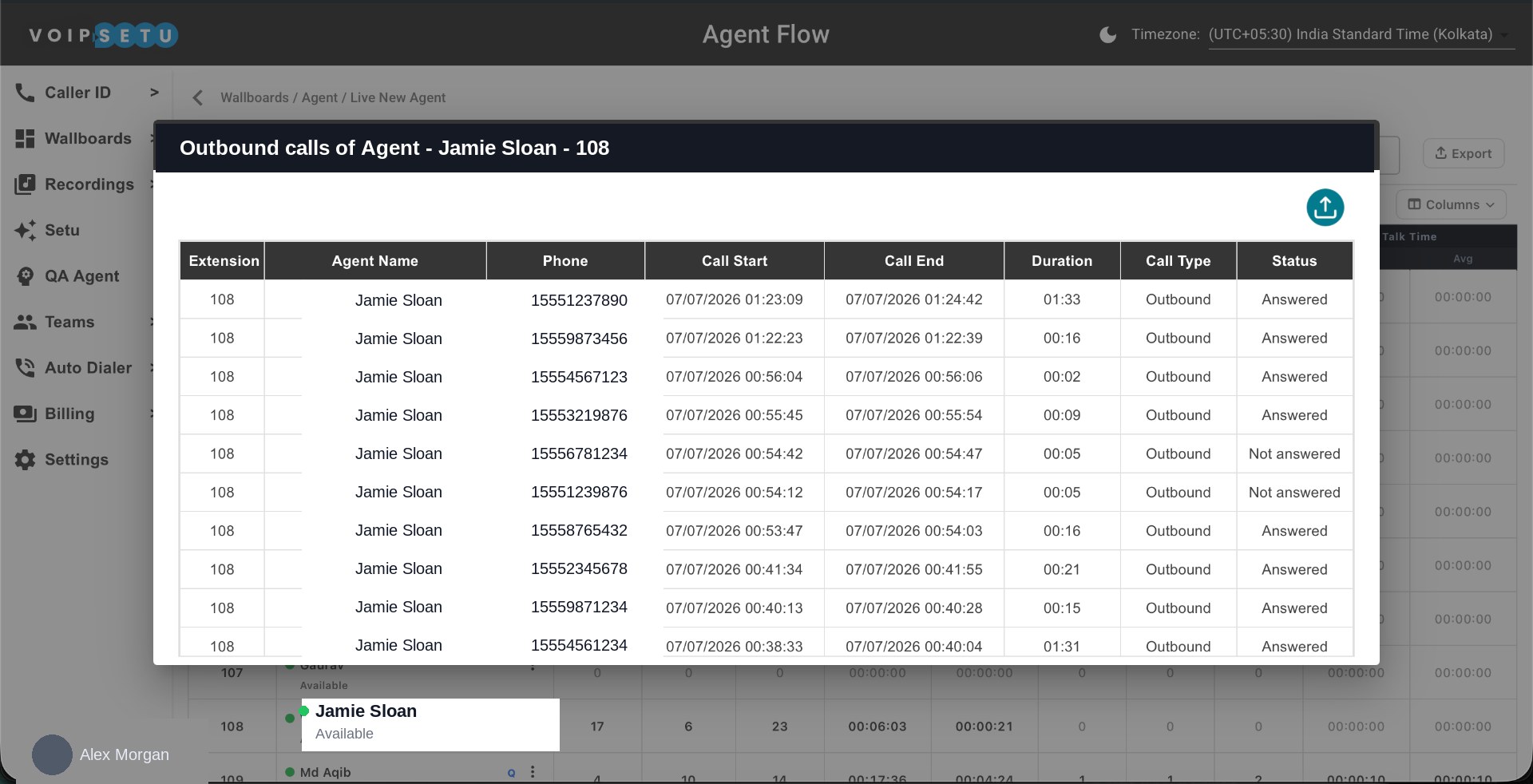
Agent Wallboard — call drill-down
Click any agent's counter to see the underlying calls: extension, phone, start, end, duration, type and status.
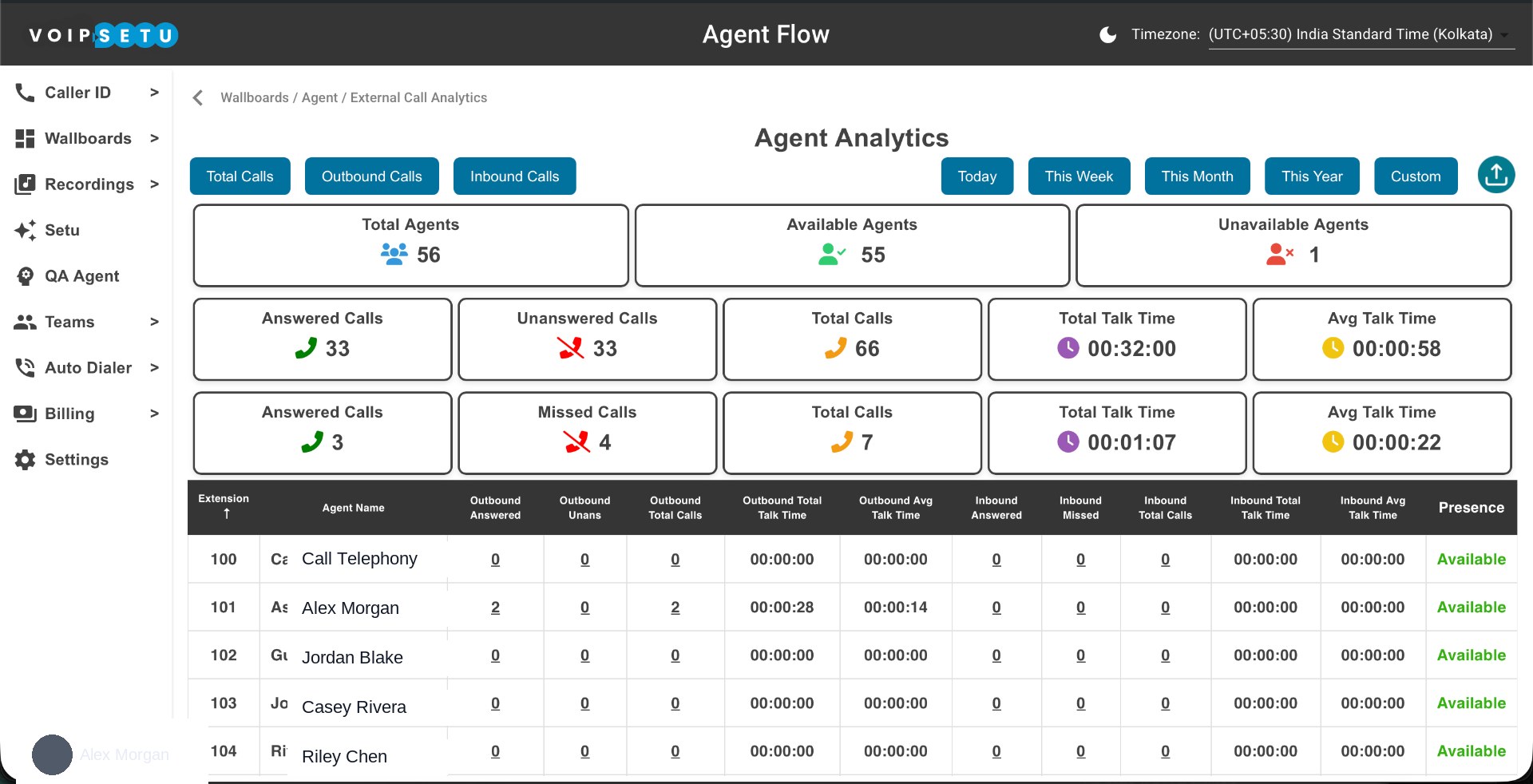
Agent Wallboard — external analytics
Roll-up of external call activity per agent with Today / Week / Month / Year / Custom filters and presence status.
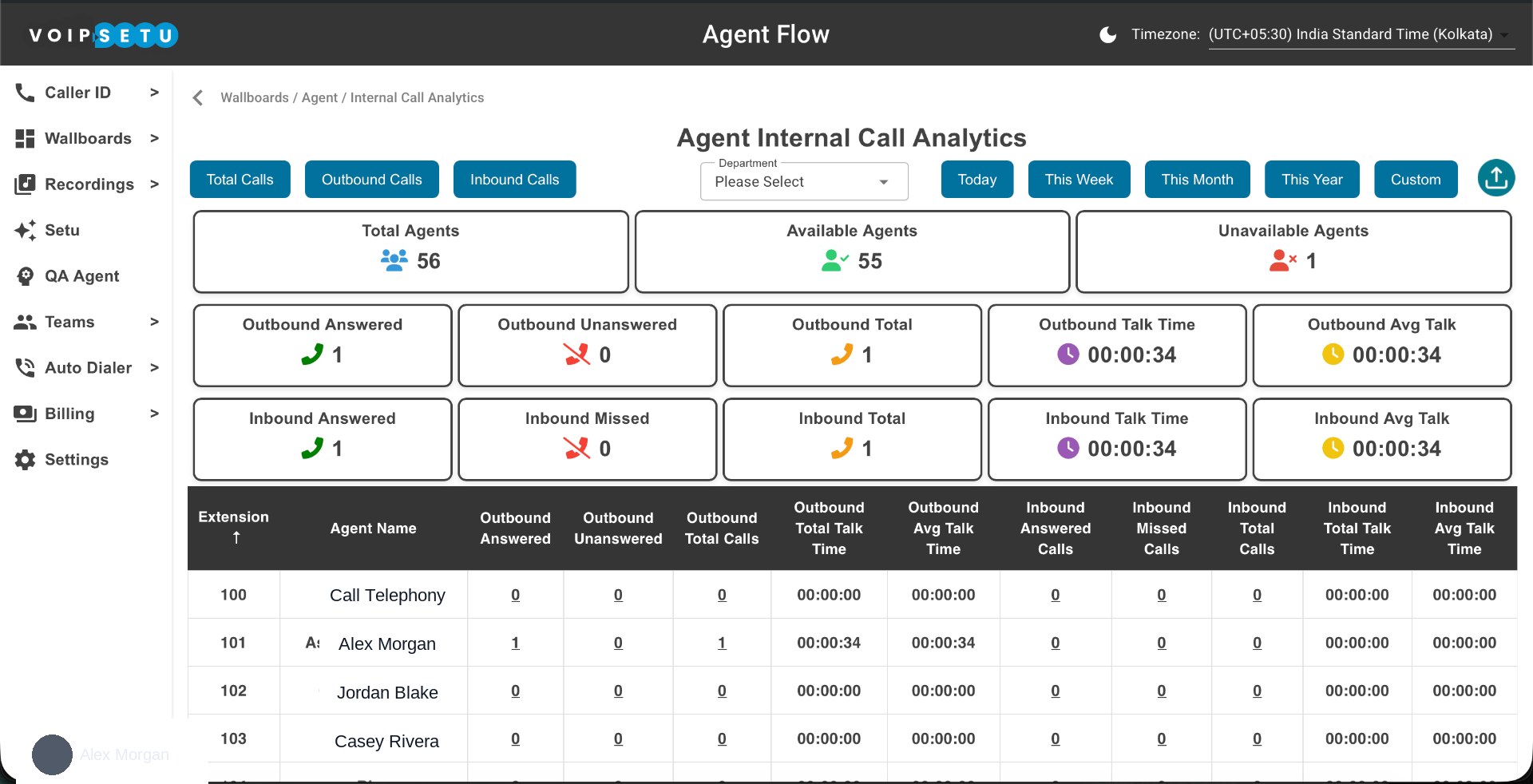
Agent Wallboard — internal analytics
Same analytics view scoped to internal calls only — perfect for measuring cross-team collaboration load.
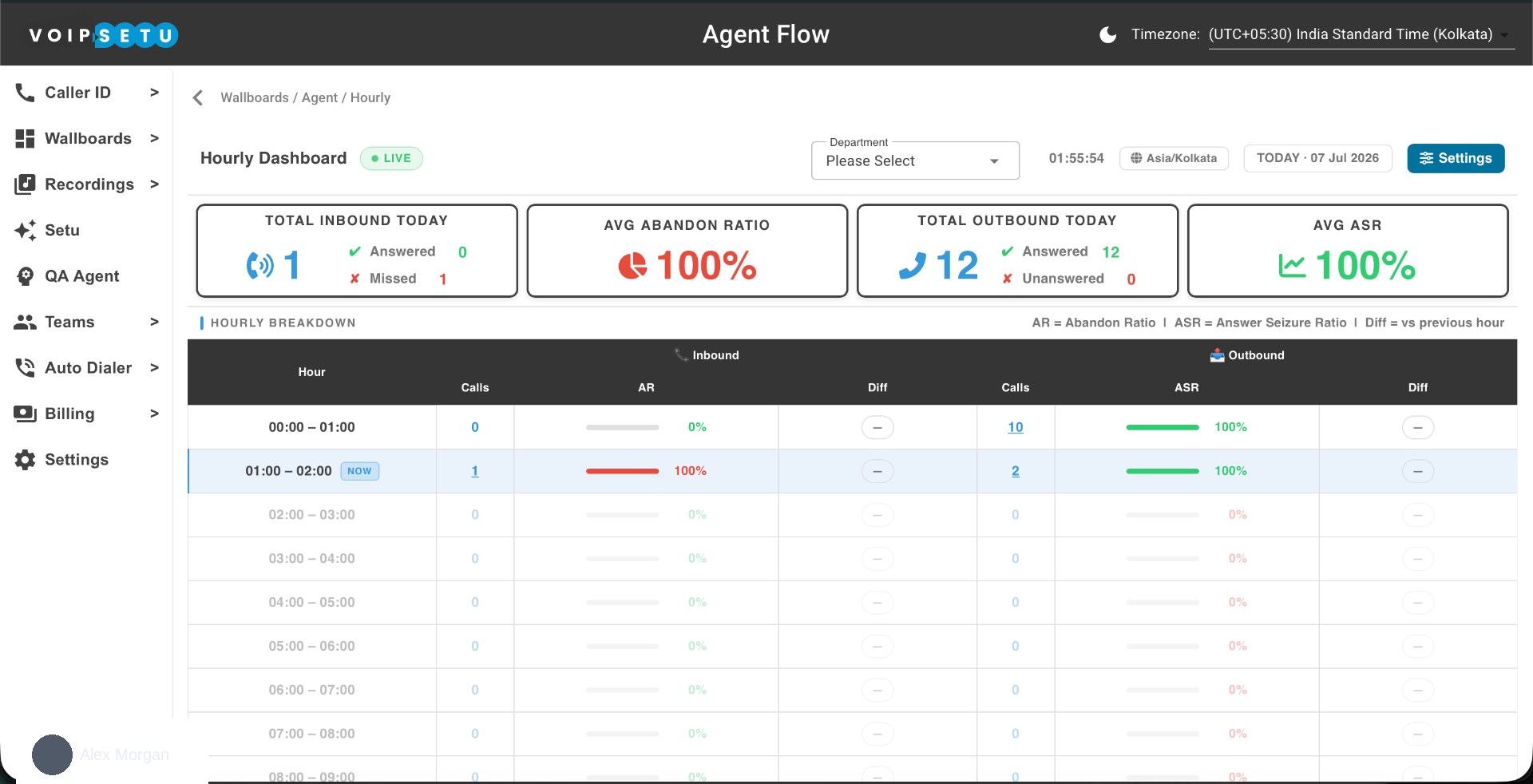
Hourly Wallboard
Total inbound, outbound, average abandon ratio and average ASR for today, plus a live hourly breakdown with vs-previous-hour deltas.
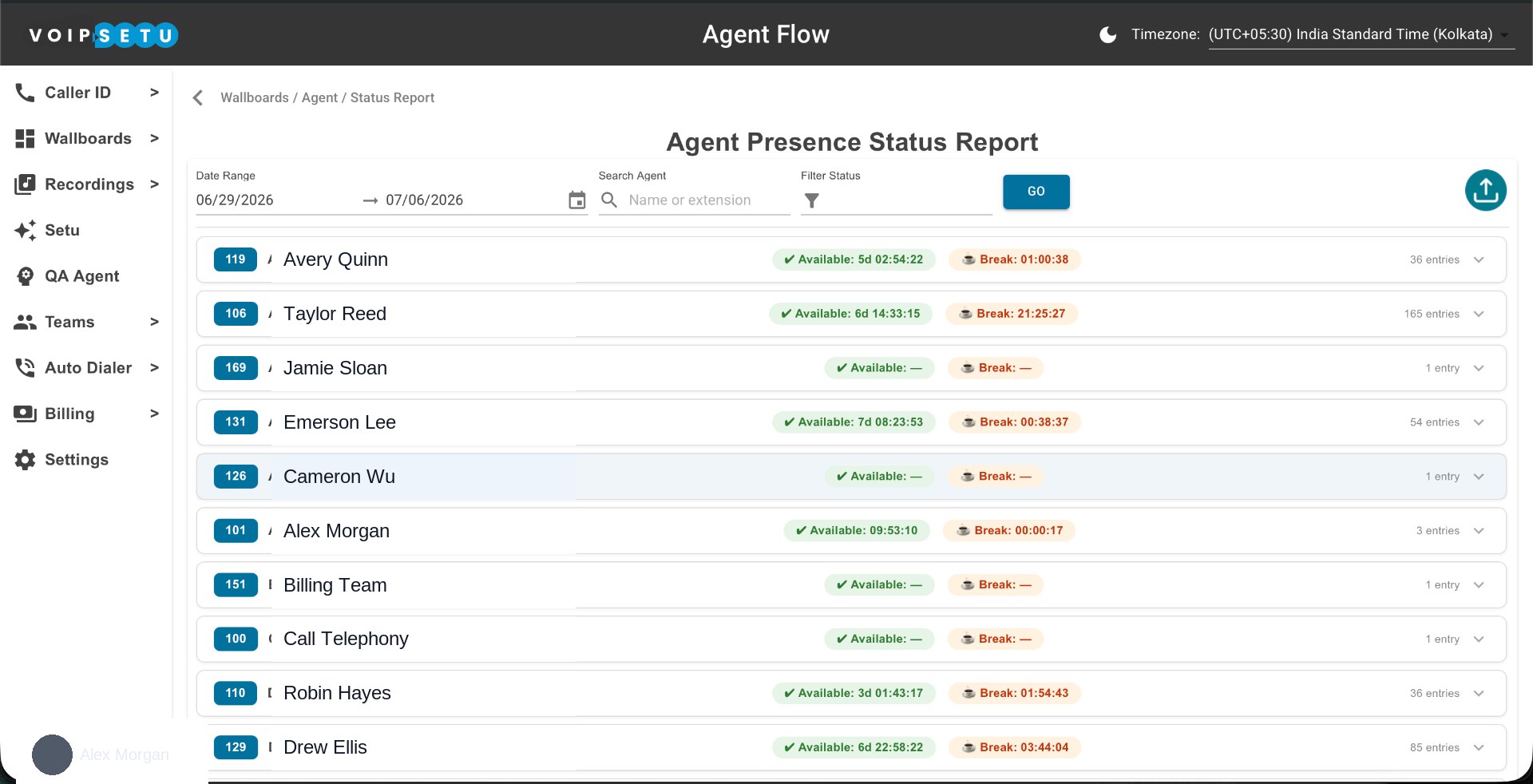
Agent Presence Status Report
Date-range presence audit — available time vs break time per agent, with per-extension entry counts you can expand into full detail.
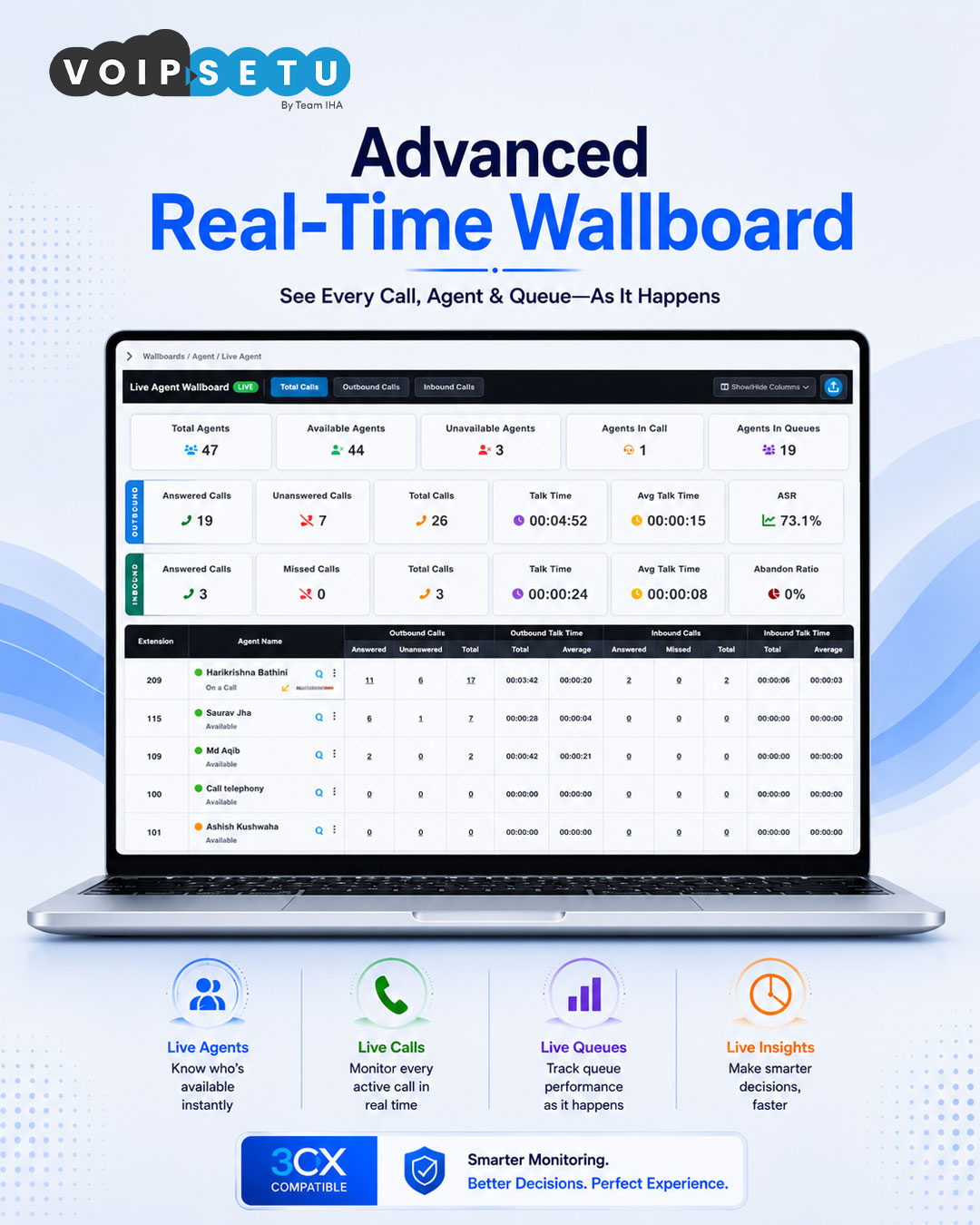
Live Agent Wallboard
The full floor view — total, outbound and inbound counters, ASR, talk time and every agent's live status in one screen.
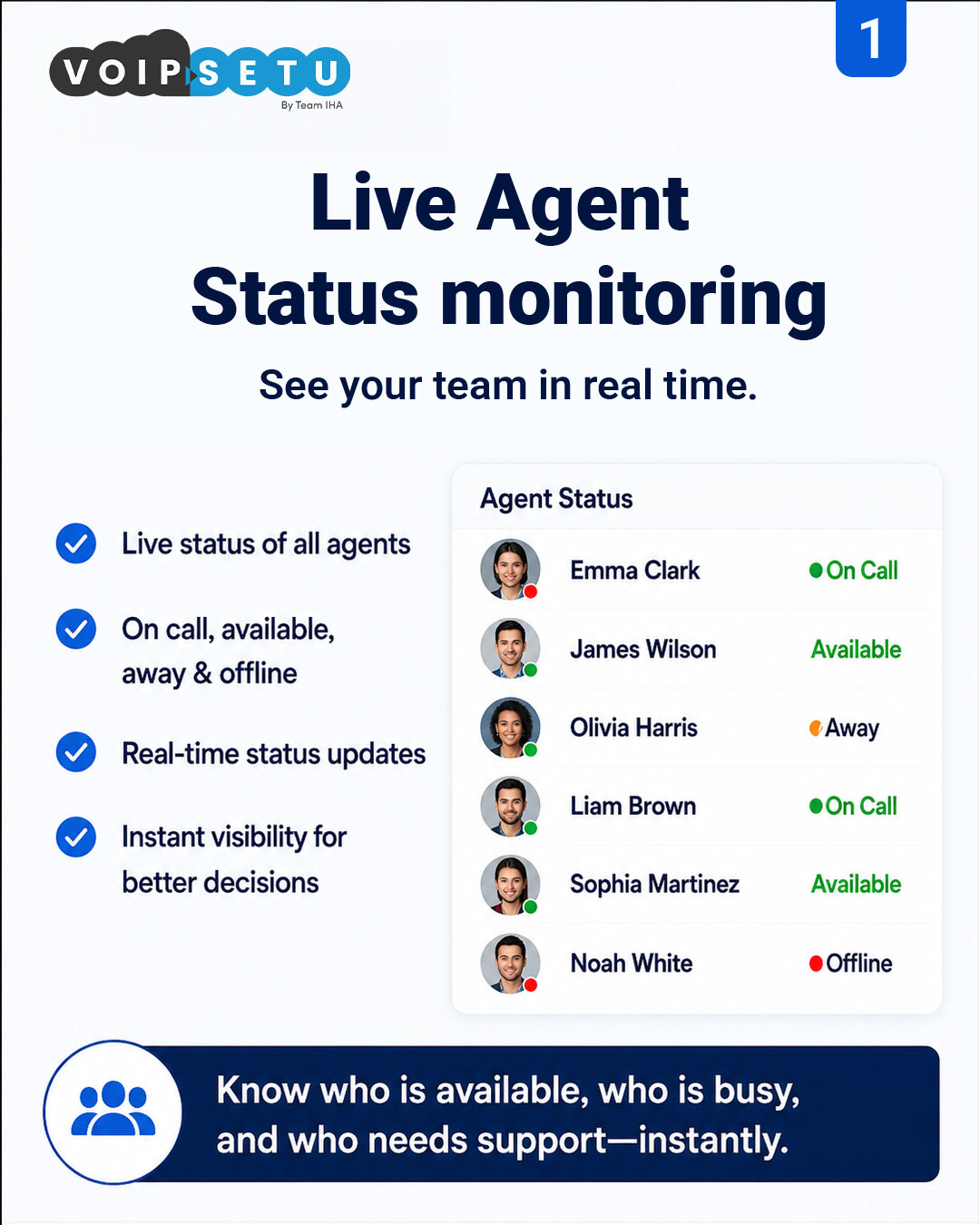
Live agent status monitoring
Every agent, every state — on call, available, away, offline — updated the moment it changes.
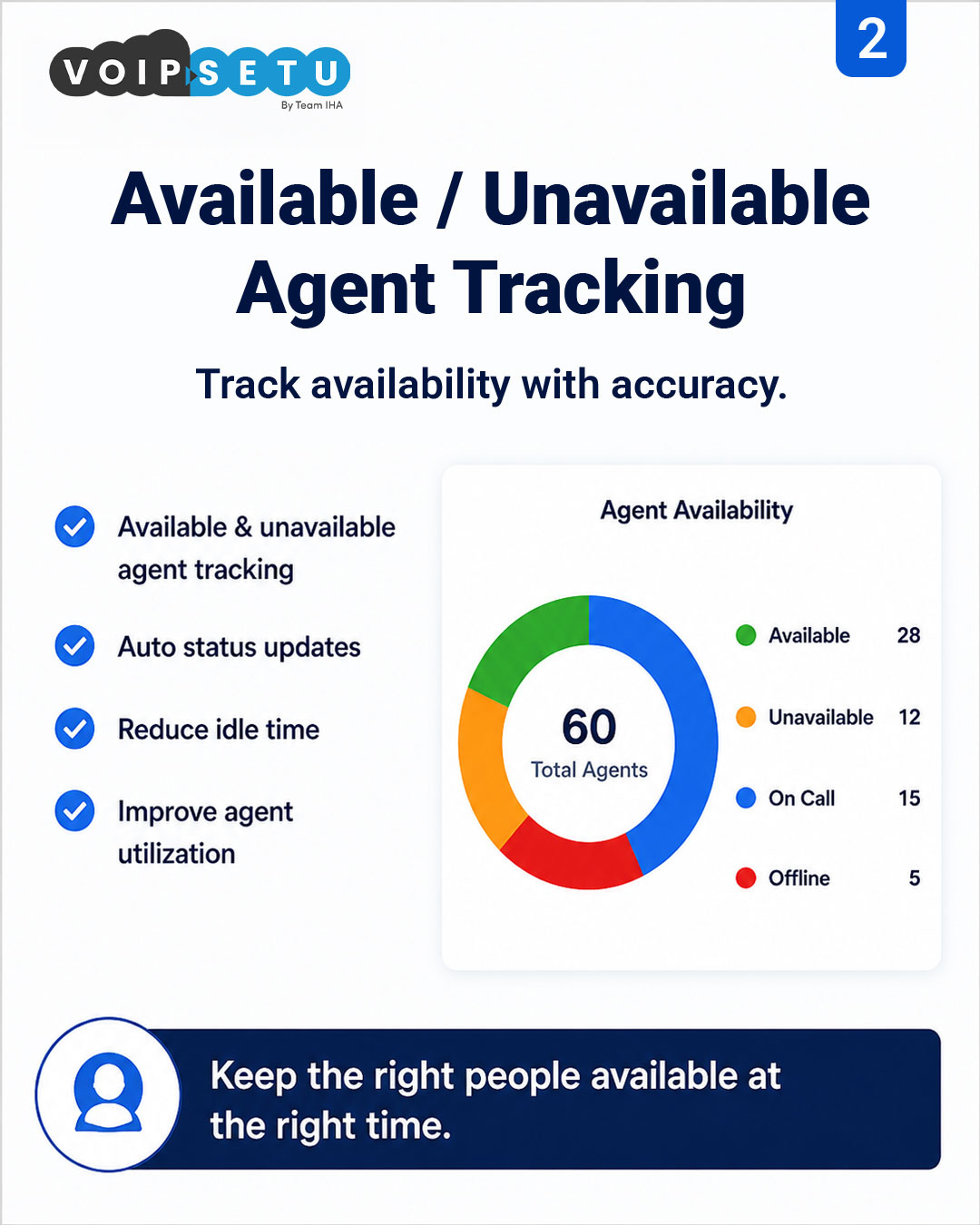
Available vs unavailable tracking
Availability roll-up across the team so supervisors keep the right people ready at the right time.
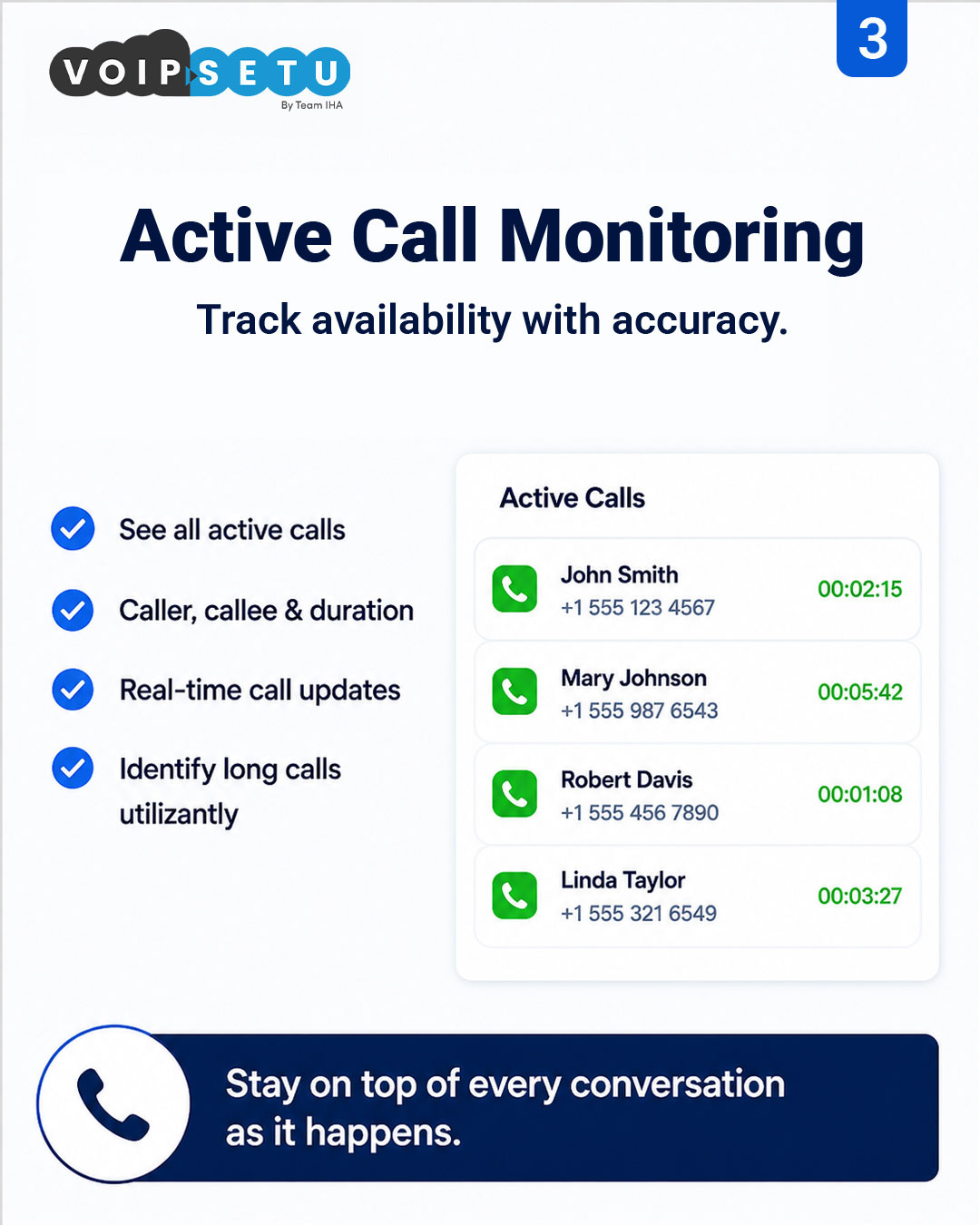
Active call monitoring
Every live call with caller, callee and running duration — spot long calls before they hurt SLA.
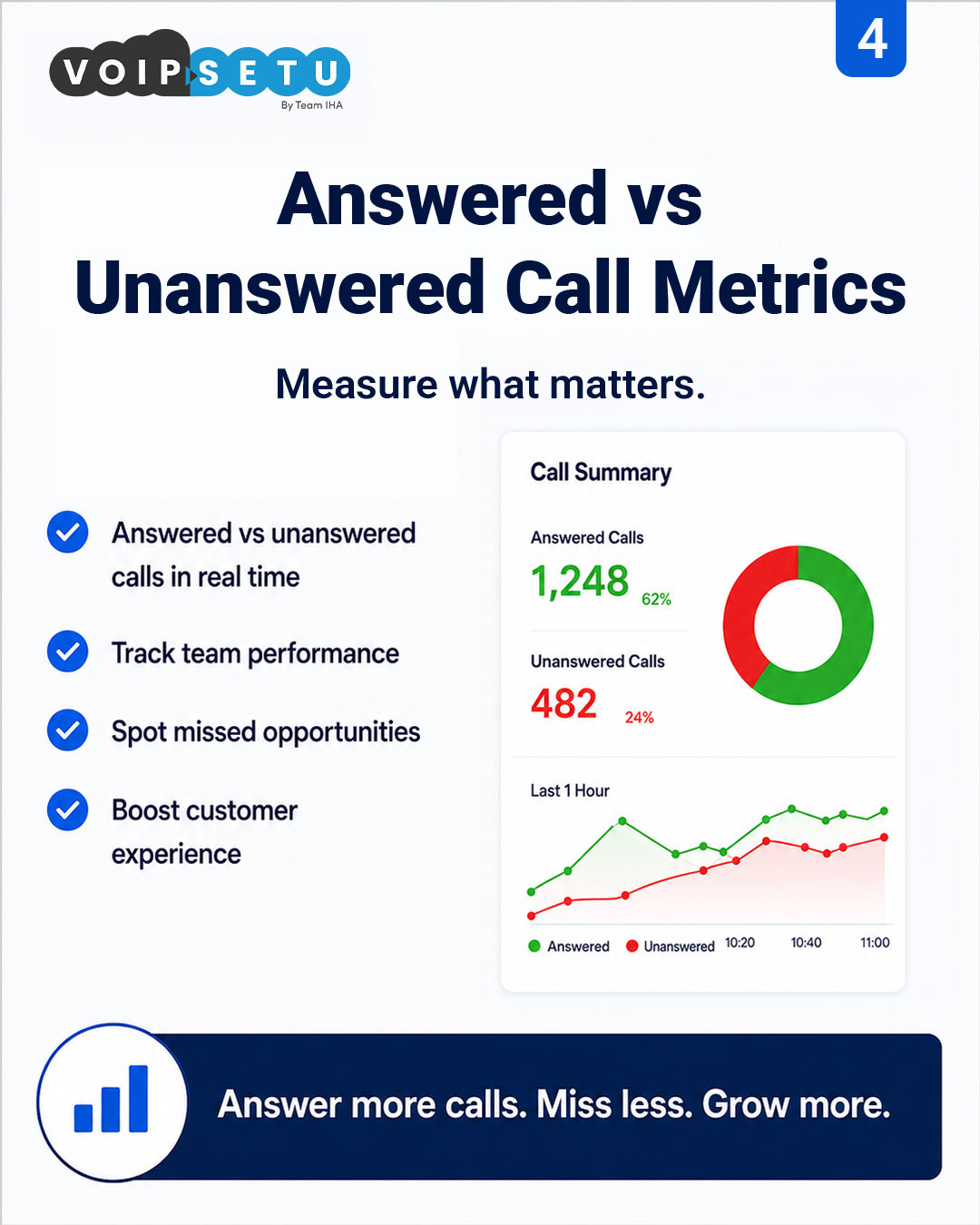
Answered vs unanswered metrics
Live answered / unanswered split with a last-hour trend so missed calls surface immediately.
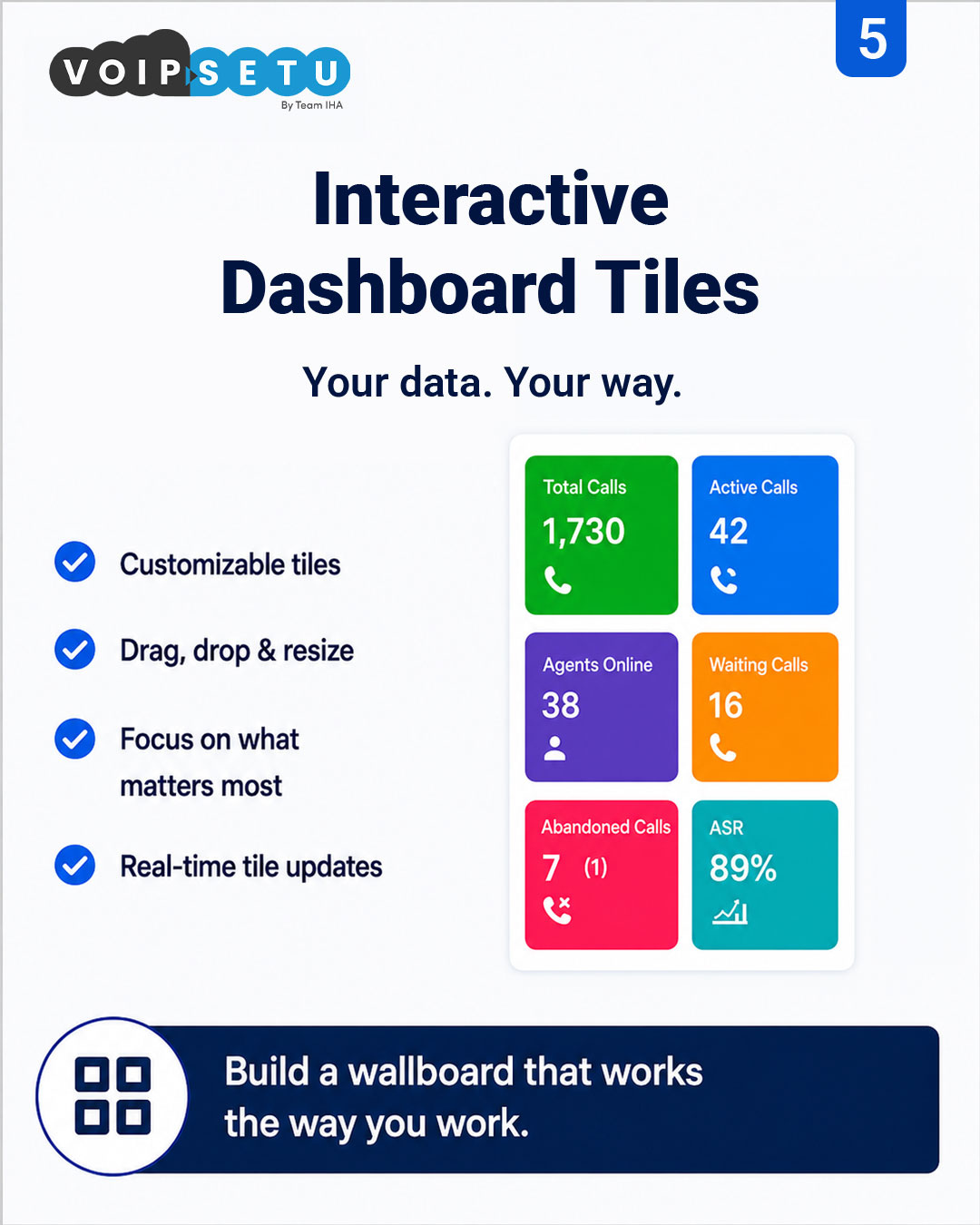
Interactive dashboard tiles
Drag, drop and resize the metrics that matter — total calls, active calls, waiting, ASR, abandoned — built the way each supervisor works.
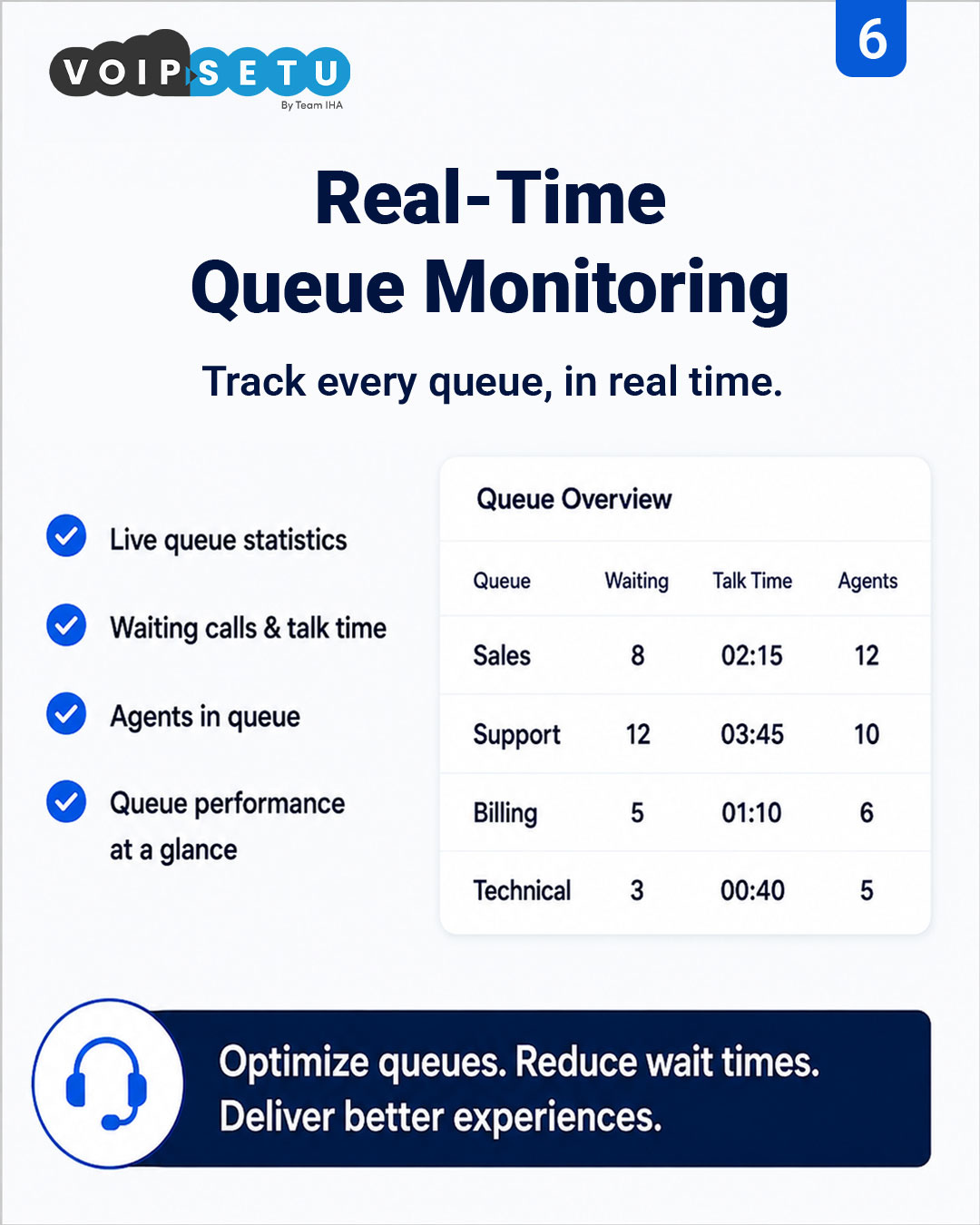
Real-time queue monitoring
Sales, Support, Billing, Technical — waiting, talk time and agent count per queue, refreshed live.
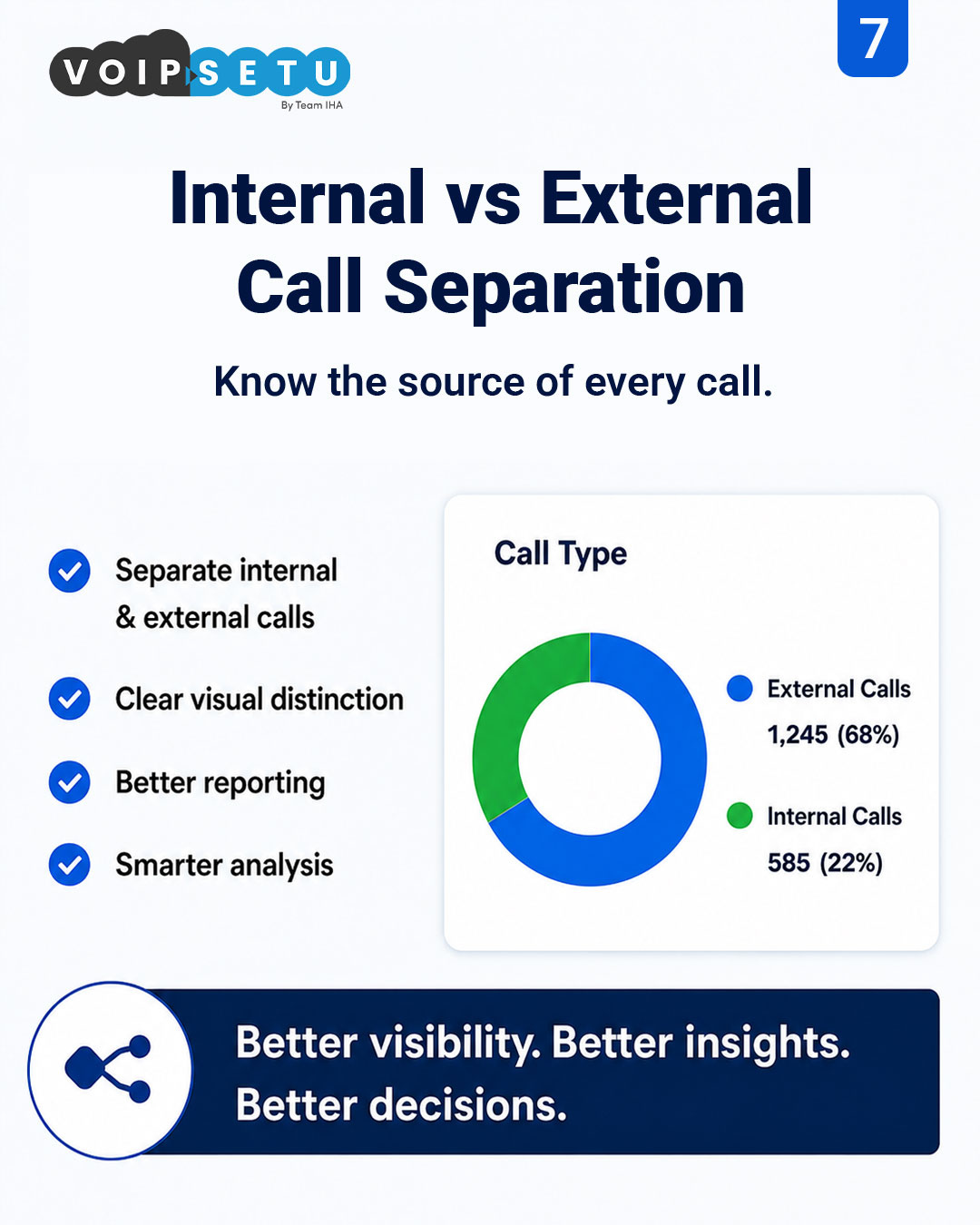
Internal vs external call separation
Clear visual split between internal and external traffic — cleaner reports, sharper decisions.
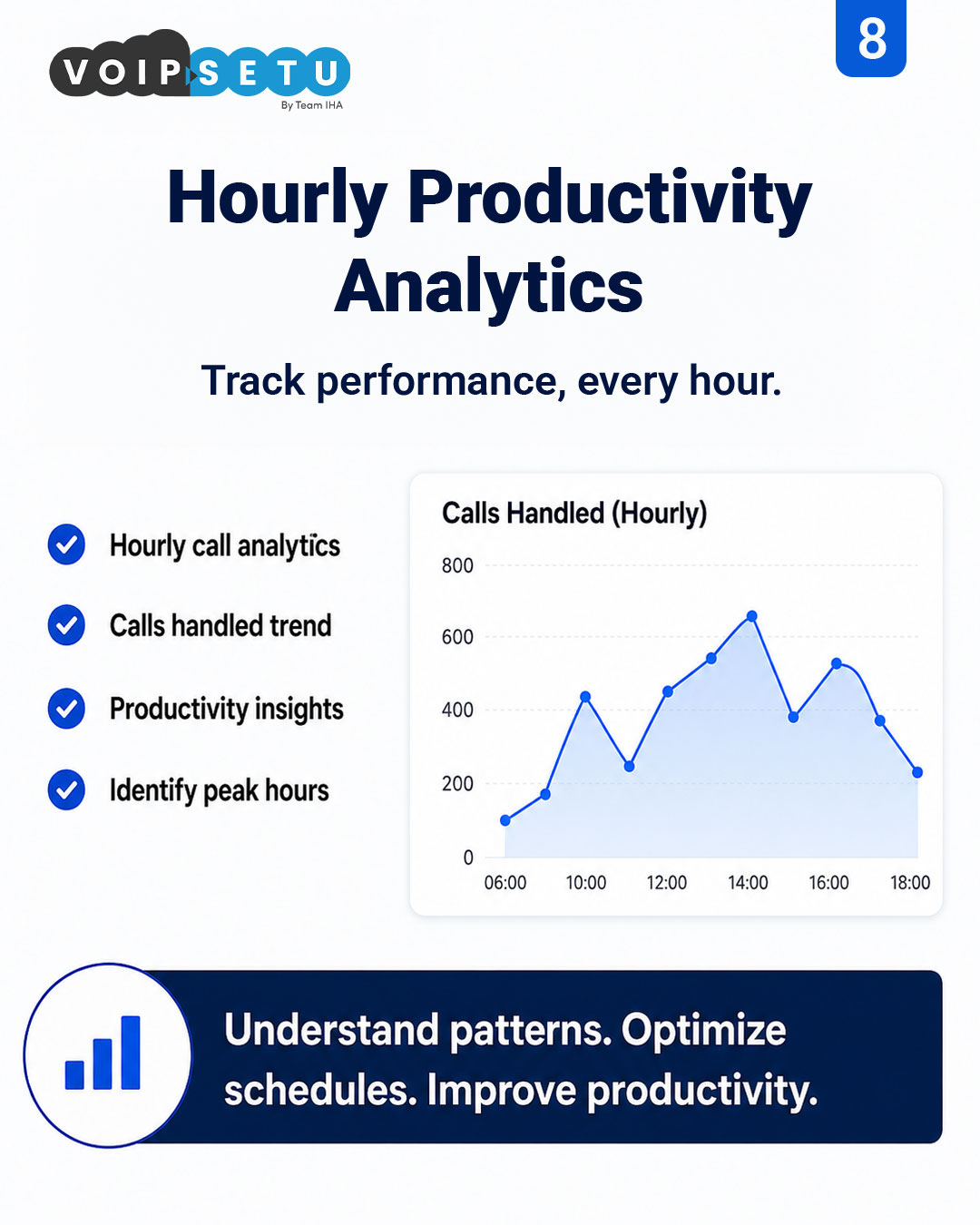
Hourly productivity analytics
Calls handled by hour — see peak windows, quiet slots and where to reshape shift schedules.
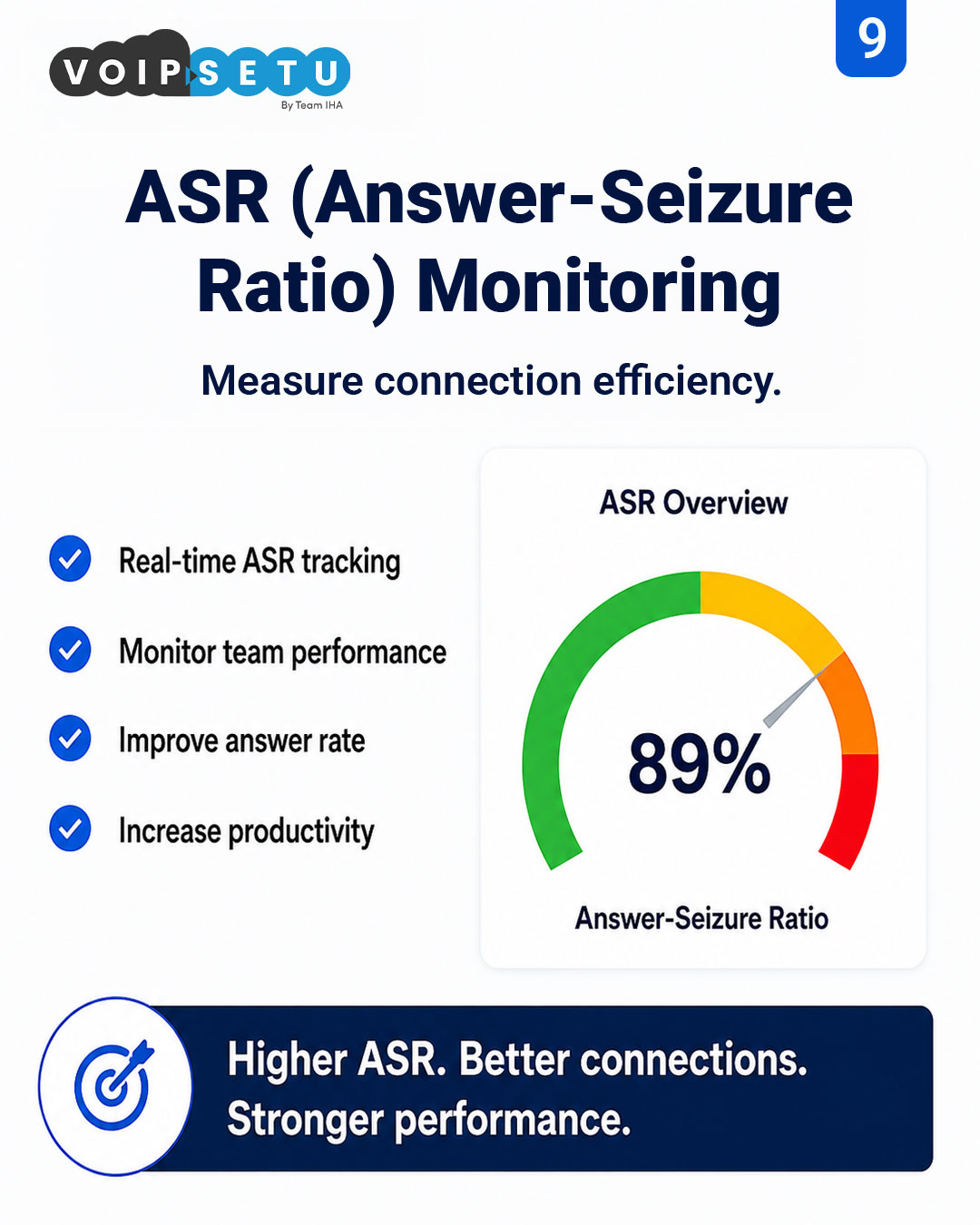
ASR (Answer-Seizure Ratio) monitoring
Live ASR across the floor — the single number that tells you how efficiently the team is connecting.
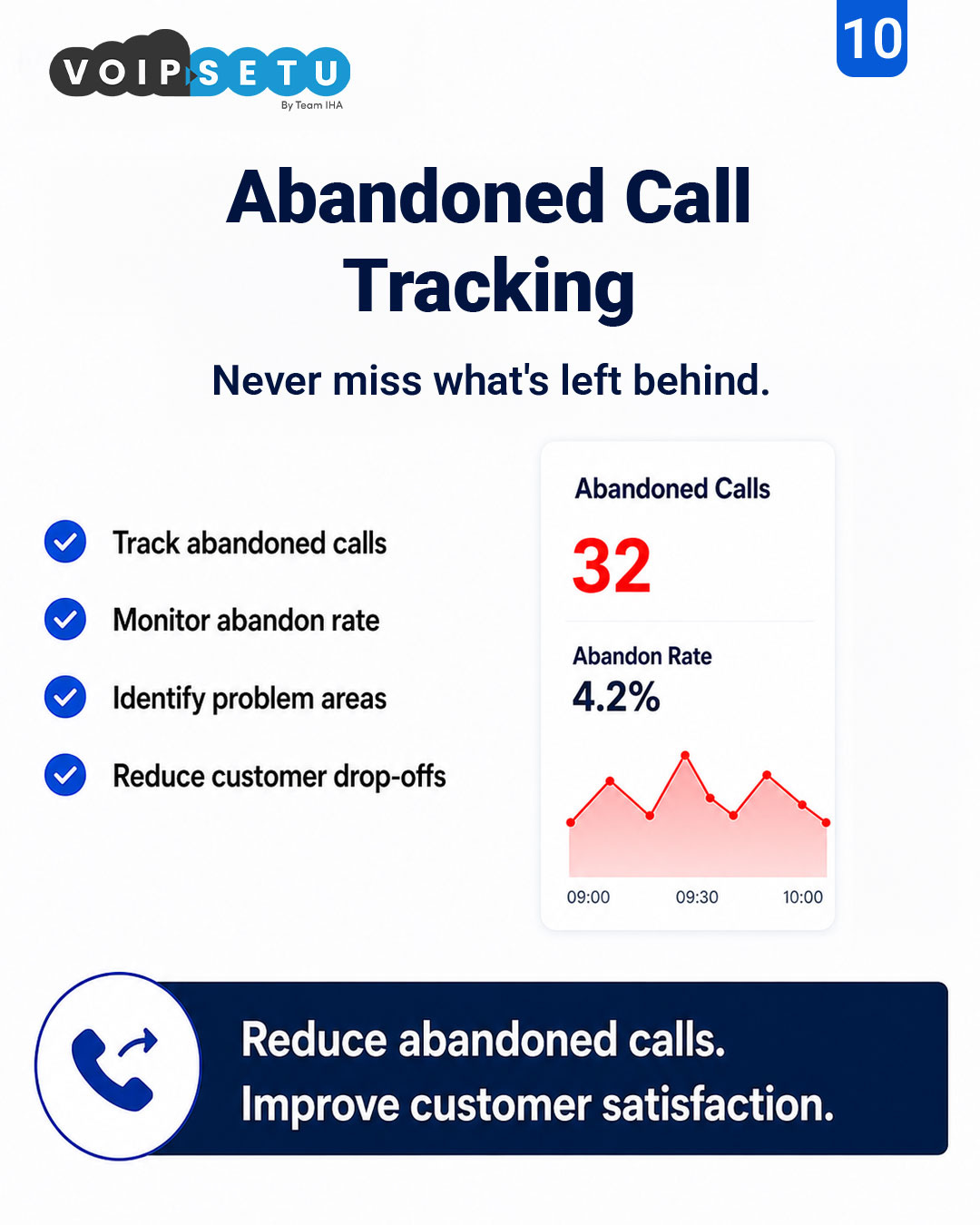
Abandoned call tracking
Abandon count and abandon-rate trend by time window — pinpoint where drop-offs happen and fix them.
How it works
From install to insight — the path
- 1
Connect
Point Wallboard at your 3CX queues — 10 minutes, no extra agent install.
- 2
Configure
Pick the metrics, set SLA thresholds, choose shift reset times.
- 3
Cast
Open the wallboard URL on any Chromecast / smart TV / browser kiosk.
- 4
Coach
Supervisors react in seconds, not in the next MIS cycle.
Common questions
Does it need a separate server?
No. It runs as part of VoIPSetu and reads directly from 3CX over a secure connection.
Can we have different wallboards per team?
Yes — one wallboard per queue or department, each with its own URL and thresholds.
Can we customise which tiles appear?
Yes — every tile is drag, drop and resize. Each supervisor or floor can save their own layout.
Does it show internal vs external calls separately?
Yes — internal and external calls are split visually so reports and floor decisions stay clean.
See Wallboard on your own floor
7-day trial. Full features. No credit card. Deploy in 30 minutes.