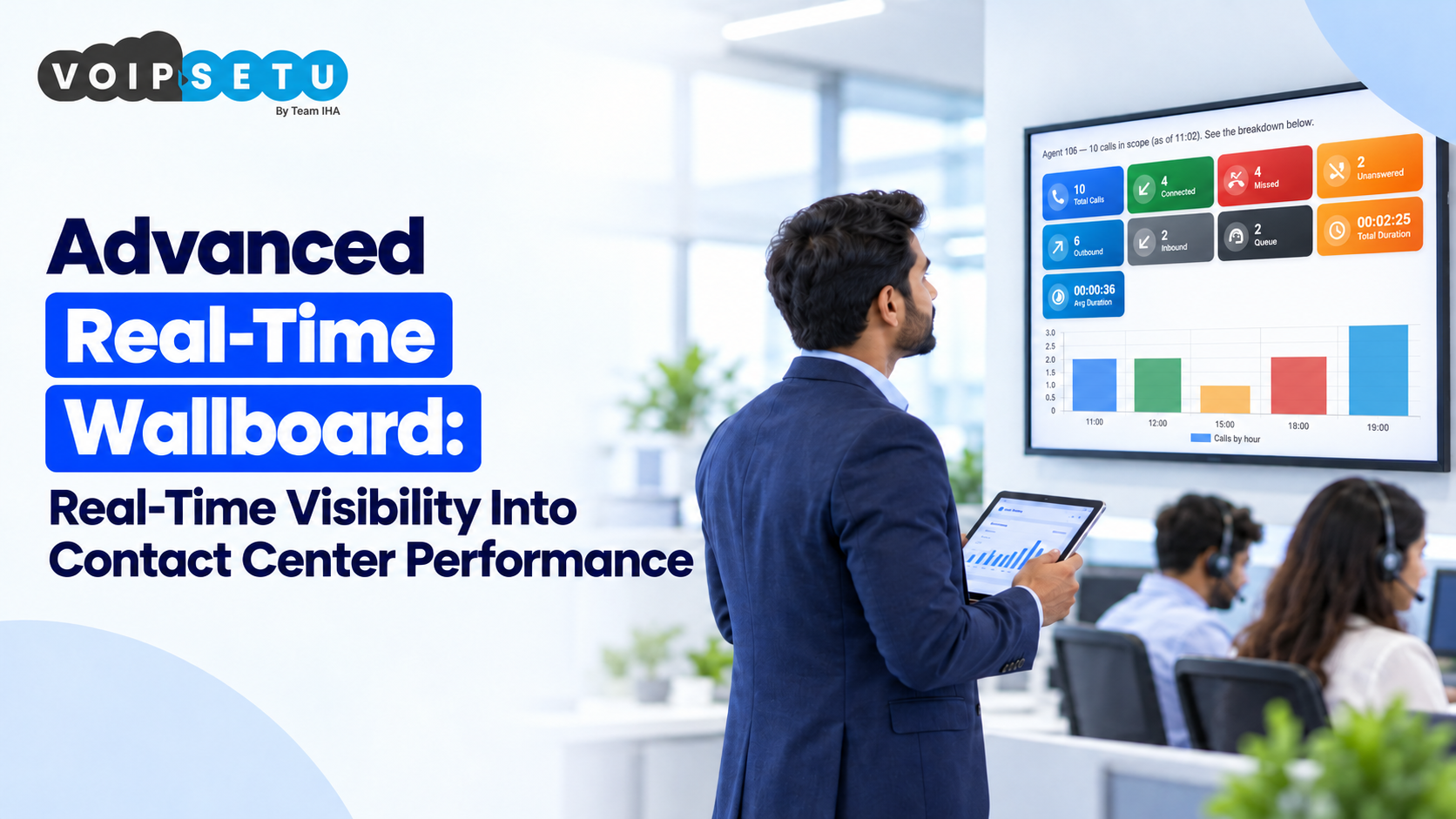
Managing a contact center involves more than answering calls. Supervisors need to understand agent availability, monitor ongoing conversations, track queue performance, review call outcomes, and identify operational issues before they affect customer experience. When this information is spread across multiple reports and screens, getting a clear picture of daily operations becomes difficult.
Advanced Real-Time Wallboard brings important contact center metrics together in one dashboard. It gives teams a more immediate view of what is happening across their telephony operations, helping supervisors make informed decisions without constantly switching between different reports.
For businesses using 3CX, VoIPSetu's Advanced Real-Time Wallboard provides visibility into agent activity, active calls, queue performance, call outcomes, productivity metrics, and other important indicators. With interactive dashboard tiles, threshold-based alerts, and supervisor controls, teams can monitor performance and respond to operational needs more effectively.
What Is an Advanced Real-Time Wallboard?
An advanced real-time wallboard is a dashboard designed to display important contact center information as operations happen. Depending on the metrics available, it can show agent statuses, ongoing calls, answered and unanswered calls, queue activity, and productivity trends.
Unlike traditional reports that are often reviewed after a specific period, a real-time wallboard helps supervisors see current activity while the team is working. This makes it easier to spot changes in workload, check agent availability, and investigate potential service issues.
For example, if a queue begins receiving more calls than usual, a supervisor can review the available queue metrics and agent statuses to understand the situation. Instead of waiting until the end of the day to review performance, the team can investigate the issue while it is still relevant.
Key Features of VoIPSetu's Advanced Real-Time Wallboard
1. Live Agent Status Monitoring for Better Team Visibility
Knowing what agents are doing during working hours helps supervisors understand the current state of the contact center. However, manually checking each agent or asking for frequent updates can interrupt normal operations.
Live agent status monitoring provides a central view of agent activity and the statuses displayed by the telephony system. Supervisors can use this information to understand which agents are engaged, available, or in another status.
This visibility helps teams review staffing conditions, understand changes in agent activity, and identify situations that may need attention. It also gives supervisors a clearer starting point when investigating queue delays or changes in call handling.
2. Available and Unavailable Agent Tracking
Agent availability directly affects how a contact center handles incoming calls. If fewer agents are available than expected, customers may experience longer waiting times or calls may remain unanswered.
Available and unavailable agent tracking helps supervisors understand how many agents currently available and which agents are are not available for calls, based on the statuses shown in the system.
For example, if several agents become unavailable during a busy period, a supervisor can review the situation and assess whether the team has enough available capacity to manage incoming calls.
This information supports better workload decisions and helps supervisors understand staffing availability without relying entirely on manual updates.
3. Active Call Monitoring for Real-Time Call Visibility
Active call monitoring gives supervisors visibility into calls that are currently in progress. Depending on the information displayed on the wallboard, they can review details such as call status, assigned agent, extension, or call duration.
This is useful when supervisors need to understand current calling activity or investigate an operational issue. For instance, if a customer reports difficulty reaching a department, the supervisor can review the relevant call activity and check whether calls are being handled as expected.
Having ongoing calls visible on a central dashboard also makes it easier to understand how busy the team is at a particular moment.
Rather than relying only on historical reports, supervisors can use current call information to assess the situation and decide whether further action is needed.
4. Answered vs. Unanswered Call Metrics for Call Performance Analysis
The number of calls received does not always tell the complete story. Businesses also need to understand how many calls were answered and how many went unanswered.
Answered versus unanswered call metrics help supervisors compare these outcomes and identify patterns that deserve attention. For example, an increase in unanswered calls during peak hours may indicate that the team needs to review agent availability, call distribution, or staffing arrangements.
These metrics can also help businesses compare performance across different periods and investigate whether operational changes are improving call handling.
The objective is not simply to count calls. It is to understand what happened to those calls and identify opportunities to improve the customer experience.
5. Interactive Dashboard Tiles for Quick Access to Key Metrics
A dashboard becomes more useful when important information is easy to access. Interactive dashboard tiles help organise key metrics into individual visual sections, allowing users to focus on specific information without navigating through an unnecessarily complicated interface.
For example, a supervisor may want to check active calls first, review agent availability next, and then examine unanswered call metrics. Clearly organised dashboard tiles make these checks easier to perform.
Interactive elements can also help users focus on relevant information, depending on the available dashboard functionality.
For teams monitoring several aspects of contact center performance, a well-organised wallboard can reduce the effort required to find useful information and make routine monitoring more convenient.
6. Real-Time Queue Monitoring for Efficient Call Distribution
Queue performance is an important part of contact center operations. When incoming calls accumulate faster than agents can handle them, customers may have to wait longer or abandon their calls.
Real-time queue monitoring helps supervisors keep track of queue activity and review the metrics available for each queue. This visibility can help them identify busy periods, recognise changes in call demand, and assess whether available agents are sufficient for the current workload.
For example, if one queue becomes noticeably busier than others, a supervisor can investigate the situation and consider whether staffing or call distribution needs attention.
Monitoring queue activity as it happens helps teams respond to changing demand rather than relying exclusively on end-of-day reports.
7. Internal vs. External Call Separation for Clearer Call Analytics
Contact centers handle different types of calls. Internal calls take place within an organisation, while external calls involve communication with customers, prospects, suppliers, or other parties outside the organisation.
Separating internal and external calls helps businesses understand these activities more clearly. Without this distinction, total call counts may not provide an accurate picture of customer-facing communication.
For example, a business reviewing its external calling activity may want to distinguish customer calls from conversations between employees. This separation makes call analysis more meaningful and helps teams interpret telephony usage in the right context.
It can also support better reporting when managers want to understand how the phone system is being used across different communication needs.
8. Hourly Productivity Analytics to Identify Peak Calling Periods
Contact center activity often changes throughout the day. Some businesses receive most of their calls in the morning, while others experience higher demand during lunch hours or near the end of the working day.
Hourly productivity analytics help teams examine calling activity across different hours. By reviewing these patterns, supervisors can identify busy periods, quieter intervals, and changes in workload.
For example, if call activity consistently increases between 11 a.m. and 1 p.m., managers can use that information when reviewing shift arrangements and agent availability.
Hourly analysis can also help businesses compare activity across working days and evaluate the impact of operational changes. Although call volume alone does not measure overall agent productivity, it provides useful context when considered alongside agent status and other performance metrics.
9. ASR (Answer-Seizure Ratio) Monitoring for Outbound Call Performance
For businesses that make a high volume of outbound calls, monitoring call outcomes is important. The Answer-Seizure Ratio, commonly abbreviated as ASR, is a telephony metric that measures the proportion of call attempts that result in an answered or successfully connected call, according to the system's reporting definitions.
ASR monitoring helps teams understand how effectively outbound call attempts are connecting. Changes in the ratio may indicate differences in contactability, campaign performance, or calling conditions.
For instance, if a team notices a decline in ASR, it can investigate possible reasons, such as changes in the numbers being called, campaign timing, or the quality of its contact list.
ASR should be interpreted alongside other relevant metrics rather than treated as a complete measure of campaign success. A connected call does not necessarily mean that the customer was interested or that the desired business outcome was achieved.
10. Abandoned Call Tracking to Identify Missed Customer Opportunities
An abandoned call generally refers to a call that ends before it is answered by an agent, although the exact definition can vary depending on the reporting rules and call-handling setup.
Abandoned call tracking helps supervisors understand how frequently this situation occurs and identify patterns that may need investigation.
For example, if abandoned calls increase during periods of high queue activity, the team can review waiting times, agent availability, and call-handling arrangements to determine what may be contributing to the issue.
This information is particularly useful for businesses that depend on incoming calls for customer support, sales enquiries, appointment requests, or service bookings.
By reviewing abandoned call trends alongside queue and answered-call metrics, managers can make more informed decisions about improving call handling.
11. Threshold-Based Alerts for Proactive Performance Monitoring
Monitoring a dashboard manually throughout the day can be difficult, especially when supervisors are responsible for several queues or teams.
Threshold-based alerts help address this challenge by highlighting conditions that cross configured limits. Depending on the available configuration, these limits may relate to selected call metrics, queue conditions, or other operational indicators.
For example, a supervisor might configure an alert for a queue metric that exceeds an acceptable threshold. When the condition is met, the alert draws attention to the situation so the team can investigate.
This approach helps supervisors focus on conditions that require attention instead of continuously checking every metric.
The value of an alert depends on choosing appropriate thresholds. If limits are too sensitive, the team may receive too many notifications. Well-planned thresholds make alerts more useful for day-to-day monitoring.
12. Supervisor Controls Directly From the Dashboard for Faster Action
A wallboard is valuable for monitoring, but supervisors may also need to take action when a situation requires intervention.
Supervisor controls directly from the dashboard can make supported operational actions more accessible without requiring supervisors to navigate through multiple screens. The specific actions available depend on the system configuration and the permissions assigned to each user.
For example, where supported, supervisors may be able to access relevant call or agent controls directly from the dashboard when responding to an operational need.
Keeping monitoring information and supported controls within the same interface can reduce unnecessary navigation and help supervisors work more efficiently.
Appropriate user permissions and clear operational procedures remain important, particularly when controls affect live calls or agent activity.
How a Real-Time Wallboard Helps Contact Center Teams
The value of a real-time wallboard comes from how teams use the information it provides. When important metrics are visible together, supervisors can develop a clearer understanding of current operations and identify areas that need further investigation.
A well-used wallboard can support several everyday activities:
- Faster operational decisions: Current call, queue, and agent information helps supervisors assess situations while they are happening.
- Better staffing visibility: Agent availability and queue activity provide useful context for reviewing workload distribution.
- More informed performance reviews: Answered calls, unanswered calls, abandoned calls, and hourly activity help teams identify trends.
- More proactive monitoring: Threshold-based alerts can draw attention to selected conditions that need investigation.
- Clearer reporting: Separating internal and external calls helps businesses interpret telephony activity more accurately.
These benefits depend on reliable data, appropriate configuration, and the way the team uses the dashboard. A wallboard supports decision-making, but it does not replace the need to investigate issues and understand their underlying causes.
Why Choose VoIPSetu's Advanced Real-Time Wallboard?
Businesses using 3CX need visibility into more than call history. They may also need to understand live agent activity, monitor queue conditions, assess calling outcomes, and give supervisors a practical way to review current operations.
VoIPSetu's Advanced Real-Time Wallboard brings these monitoring capabilities into a central dashboard. Features such as agent status monitoring, active call visibility, hourly productivity analytics, ASR monitoring, abandoned call tracking, threshold-based alerts, and supervisor controls help teams examine different aspects of contact center performance.
Rather than reviewing each metric in isolation, businesses can use the available information together to identify patterns and decide where attention is needed.
For contact center managers and supervisors, this creates a more structured approach to monitoring daily telephony operations and reviewing performance as conditions change.
Conclusion
Effective contact center management depends on understanding what is happening across calls, queues, and agent activity. Without clear visibility, important changes can be difficult to identify, and performance reviews may rely heavily on historical reports.
An Advanced Real-Time Wallboard gives businesses a more immediate view of their telephony operations. From monitoring active calls and agent availability to reviewing ASR, abandoned calls, and threshold-based alerts, each capability contributes a different perspective on contact center performance.
VoIPSetu's Advanced Real-Time Wallboard helps 3CX businesses bring these operational insights together in one place. By using the available metrics to identify patterns, investigate issues, and guide decisions, teams can build a more informed and consistent approach to contact center management.
FAQs
What is an Advanced Real-Time Wallboard?
An Advanced Real-Time Wallboard is a dashboard that displays important contact center information, such as agent status, active calls, queue activity, and call metrics. It helps supervisors monitor operations and understand current performance.
How does a real-time wallboard help contact center supervisors?
It gives supervisors a central view of important operational metrics, helping them review agent availability, monitor queues, identify changes in call outcomes, and investigate issues that may affect service quality.
What metrics can be monitored through VoIPSetu's Advanced Real-Time Wallboard?
The feature set includes live agent status, agent availability, active calls, answered and unanswered calls, queue activity, internal and external calls, hourly productivity, ASR, abandoned calls, threshold-based alerts, and supervisor controls.
What is ASR monitoring in a contact center?
ASR stands for Answer-Seizure Ratio. It measures the proportion of outbound call attempts that result in an answered or successfully connected call, according to the system's reporting definitions. It helps teams assess outbound call connectivity.
Why is abandoned call tracking important?
Abandoned call tracking helps businesses understand how many calls end before being answered by an agent. Reviewing these trends alongside queue activity and agent availability can help teams identify potential gaps in call handling.
How are real-time wallboards different from traditional reports?
A real-time wallboard focuses on current operational visibility, while traditional reports are often used to review activity over a selected historical period. Both are useful: wallboards support immediate monitoring, and historical reports help with longer-term analysis.
Can supervisors take action directly from a real-time wallboard?
Where the system supports it, supervisors can access designated controls directly from the dashboard. Available actions depend on the platform configuration, permissions, and enabled functionality.
Real-Time Visibility Into Contact Center Performance
- Live agent status monitoring
- Real-time queue monitoring
- ASR & abandoned call tracking
- Threshold-based alerts & supervisor controls